Worried a refurbished iPhone might have a tired battery? You’re not alone. “iPhone battery health” can feel vague and technical, and no one wants a phone that dies before lunch.
The good news: with the right seller and a few quick checks, you can get a refurbished iPhone with great battery performance.
In this guide, we’ll break down what iPhone battery health really means, what to expect from refurbished models, and how to keep it high. We’re The Big Phone Store — UK experts in refurbished tech — and we’re here to make it clear and simple.
- What “iPhone Battery Health” Actually Means
- Do Refurbished iPhones Have Good Battery Health?
- How To Check iPhone Battery Health (in 10 seconds)
- What Percentage Is “Good”?
- Refurbished vs New vs “Used-As-Is”
- How To Keep iPhone Battery Health High
- Common Myths About iPhone Battery Health
- When To Replace the Battery
- Quick FAQs
- Conclusion
What “iPhone Battery Health” Actually Means
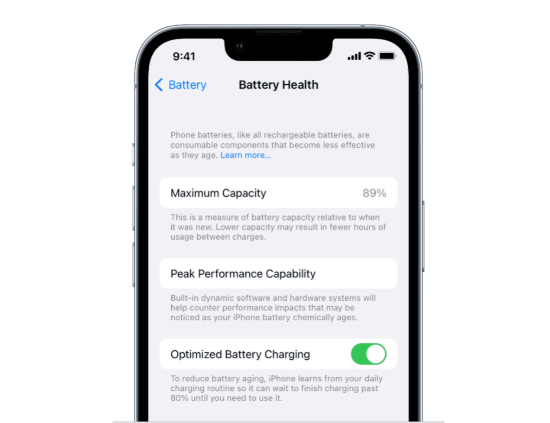
Your iPhone shows battery health in Settings. It’s a quick snapshot of battery wear.
Maximum Capacity (%): How much charge the battery can hold vs new.
Peak Performance Capability: Confirms if your phone can deliver full performance.
Performance Management: Can appear after unexpected shutdowns to stabilise the phone.
Important Battery Message: iOS will flag if the health is significantly degraded or if the battery can’t be verified.
Simply: Higher % = more all-day stamina. Lower % = shorter time between charges.
Do Refurbished iPhones Have Good Battery Health?
They can — and often do. It depends on the seller’s standards.
Reputable refurbishers test batteries. Units that don’t meet strict criteria are repaired or the battery is replaced.
You get transparency. Good sellers state the expected battery health range and include a warranty.
Age matters less than care. A well-maintained device with a new or healthy battery can outperform a newer but neglected phone.
At The Big Phone Store, every iPhone goes through multi-point diagnostics. If a battery doesn’t meet our quality standards, it’s replaced before sale. That means you can expect reliable iPhone battery health and peace of mind.
How To Check iPhone Battery Health (in 10 seconds)
Open Settings.
Tap Battery.
Tap Battery Health & Charging.
Read Maximum Capacity and Peak Performance Capability.
Check for any Important Battery Messages.
Tip: If you’ve just updated iOS or restored from backup, give the phone a day or two. iOS needs time to recalibrate estimates.
What Percentage Is “Good”?
90–100%
Feels like new and typically delivers a full day of use.
Should you worry? No — excellent.
85–89%
Strong stamina; a comfortable workday for most users.
Should you worry? Minimal concern.
80–84%
Decent, but heavy days may need a top-up.
Should you worry? Consider a power bank or future replacement.
Below 80%
Noticeably reduced stamina.
Should you worry? Plan a battery replacement soon.
Refurbished iPhones from trusted retailers typically ship in the top two bands or with a freshly replaced battery.
Refurbished vs New vs “Used-As-Is”
New iPhone
Battery health expectation: 100%
Pros: Maximum longevity
Cons: Highest price
Refurbished iPhone from The Big Phone Store
Battery health expectation: 85% or a brand-new battery
Pros: Great value and warranty
Cons: We can’t say the same for all refurbishers
Used (private sale)
Battery health expectation: Uncertain
Pros: Cheapest upfront
Cons: No checks, no warranty, higher risk of poor health
How To Keep iPhone Battery Health High
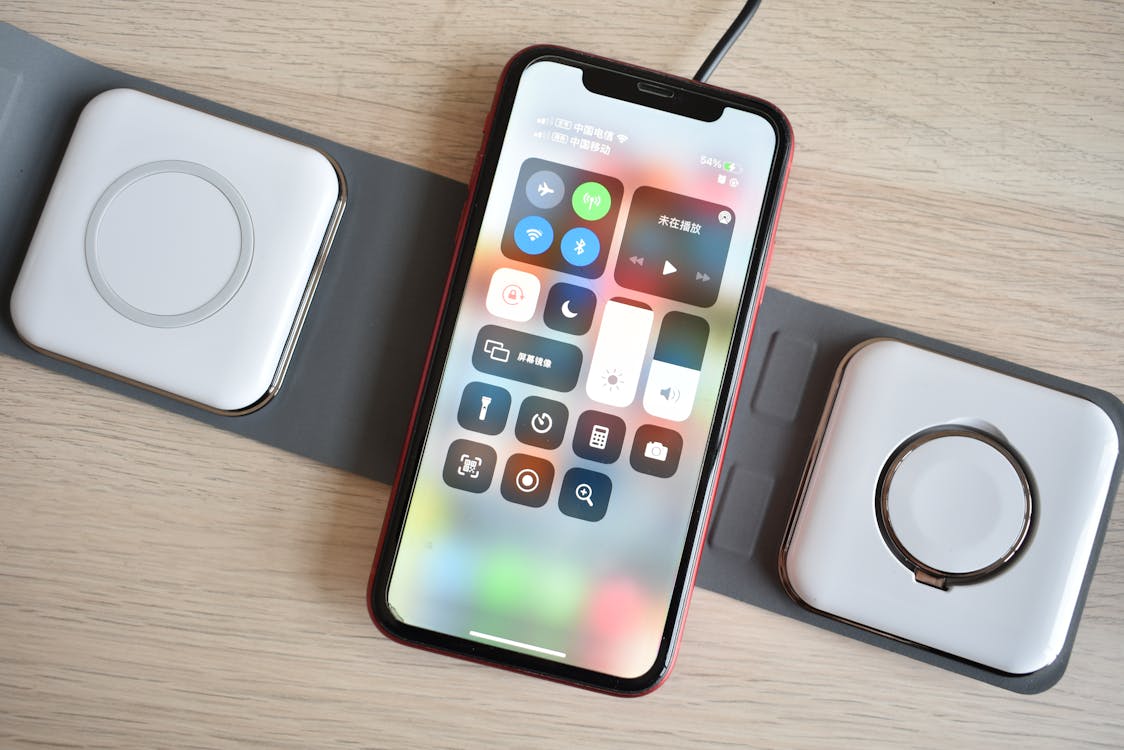
Enable Optimised Battery Charging (in Battery settings).
Avoid heat. Don’t leave your phone in hot cars or on radiators.
Use quality chargers and cables. Cheap, non-compliant accessories can stress cells.
Shallow charge cycles are fine. Topping up little and often is better than regular 0→100%.
Keep iOS updated. Power management tweaks arrive with updates.
Tame background drain. Review Battery → Battery Usage for hungry apps; limit Background App Refresh.
Store at ~50% if you won’t use the phone for weeks.
Common Myths About iPhone Battery Health
“Fast charging ruins batteries.” Myth. Apple’s power management controls heat and current. Use reputable 18–20W+ chargers.
“Always close apps to save battery.” Myth. iOS suspends apps efficiently; constant force-quitting can increase drain.
“Calibration fixes a worn battery.” Partial. A full discharge–recharge can recalibrate the indicator, but it won’t repair cell wear.
When To Replace the Battery
Consider a replacement if you notice:
Health below ~80% and short screen-on time.
Unexpected shutdowns during spikes (camera, gaming, navigation).
Performance management is permanently enabled.
Important Battery Message persists after updates.
A quality replacement restores stamina and can add years to your iPhone’s usable life — far cheaper than buying new.
Quick FAQs
Can I see cycle count on iPhone?
Not in standard settings. Third-party tools can read it from logs, but health % is the simpler indicator.
Does a battery replacement affect water resistance?
Any repair can affect seals. Use a trusted technician who replaces gaskets and tests for ingress protection.
My battery health dropped after an iOS update — is it real?
Usually recalibration. Give it a few charge cycles. If it stays low and performance suffers, consider a replacement.
Conclusion
Refurbished iPhones can offer excellent iPhone battery health — if you buy from a trusted seller. Check the Battery Health screen, look for clear standards, and lean on a solid warranty. With a few smart charging habits, you’ll keep that percentage high and your day stress-free.
At The Big Phone Store, we rigorously test and replace batteries that don’t meet our standards, so you can buy refurbished with confidence.
Browse our range of refurbished iPhones.
Explore our Apple collection.
Read next: How to Take Care of your Phone Battery.
Still unsure? Contact The Big Phone Store team — we’re happy to help.